KNow me! R
Zulquar Nain
AMU
AMU
January 20, 2025
Welocme
- Intro 👋
- Welcome 📈
- Installation 🔧
- Help 🚑
- Sir ! 👀
Introduction
- Class: Twice a Week
- Practice: Daily
- Bring your 💻
- Course material on https://intro2ramu.netlify.app/
What is R? & Why?
Evolution of R Programming
Ris a powerful tool for statistical computing and graphics, widely used in academia and industry for data analysis, statistical modeling, and visualization.- R language developed by Ross Ihaka and Robert Gentleman in 1990
- R shows its first appearance in the year 1993
- R language along with the software, developed by the group of people known as `R Core Team.’
- For more details click HERE
What is R? & Why?
Advantages of R programming
- Open Source
- Open source software system. It is freely available
- NO FREE LUNCH?
- Cross-Platform Compatibility
- Advance Statistical Language
- Outstanding Graphics
What is R? & Why?
Advantages of R programming II
- Flexible and Fun
- R is very flexible to work with it. It has a very user-friendly interface.
- Extremely Comprehensive
- R offers powerful packages for statistical analysis, enabling complex data operations and professional-level analytics.
What is R? & Why?
Advantages of R programming III
- Supports Extensions
- To provide advanced features R extended with multiple extensions. The r core team is developing R and extended the R by adding new Packages to it.
- Vast Community
- R has a broad community of online users. As the popularity of R increases, the energetic, vibrant users clubbed with this community.
- Integration with other languages
- R integrates well with other programming languages like C++, Java, and Python, enhancing its functionality and flexibility.
What is R? & Why?
Applications of R Programming
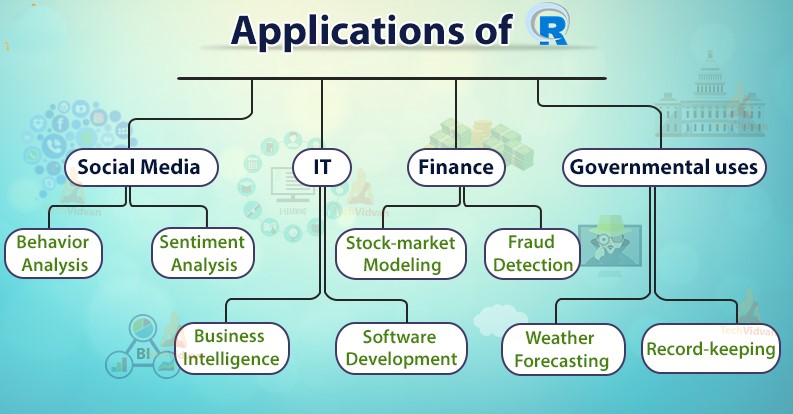
What is R? & Why?
Applications of R programming II
- Finance
- JP Morgan: Uses R for risk analysis and predictive analytics.
- Example: Assessing credit risk based on customer data using logistic regression models.
- Healthcare
- Pfizer: Utilizes R for drug discovery and clinical trial data analysis.
- Example: Analyzing patient response data to determine drug efficacy.
- E-Commerce
- Amazon: Implements R for customer purchasing patterns and recommendation systems.
- Example: Using clustering algorithms to segment customers and personalize marketing strategies.
- Sports Analytics
- ESPN: Applies R to analyze player performance and game statistics to enhance broadcasting insights.
- Example: Predictive modeling of player injuries and performance trends.
- Academia
- Universities and research institutions globally use R for statistical research, teaching, and data analysis.
- Example: Econometric analysis of economic trends and policy impacts.
- Technology
- Google: Employs R for advertising effectiveness and algorithm refinement.
- Example: Analyzing user interaction data to optimize ad placement and content.
Learning R
- Learning by doing
- At the beginning it’s hard, but later it pays off
Learning R
- Learning by doing
- At the beginning it’s hard, but later it pays off
What can be done using R?
Who can learn?
Let’s Start
Let’s Start
Installation
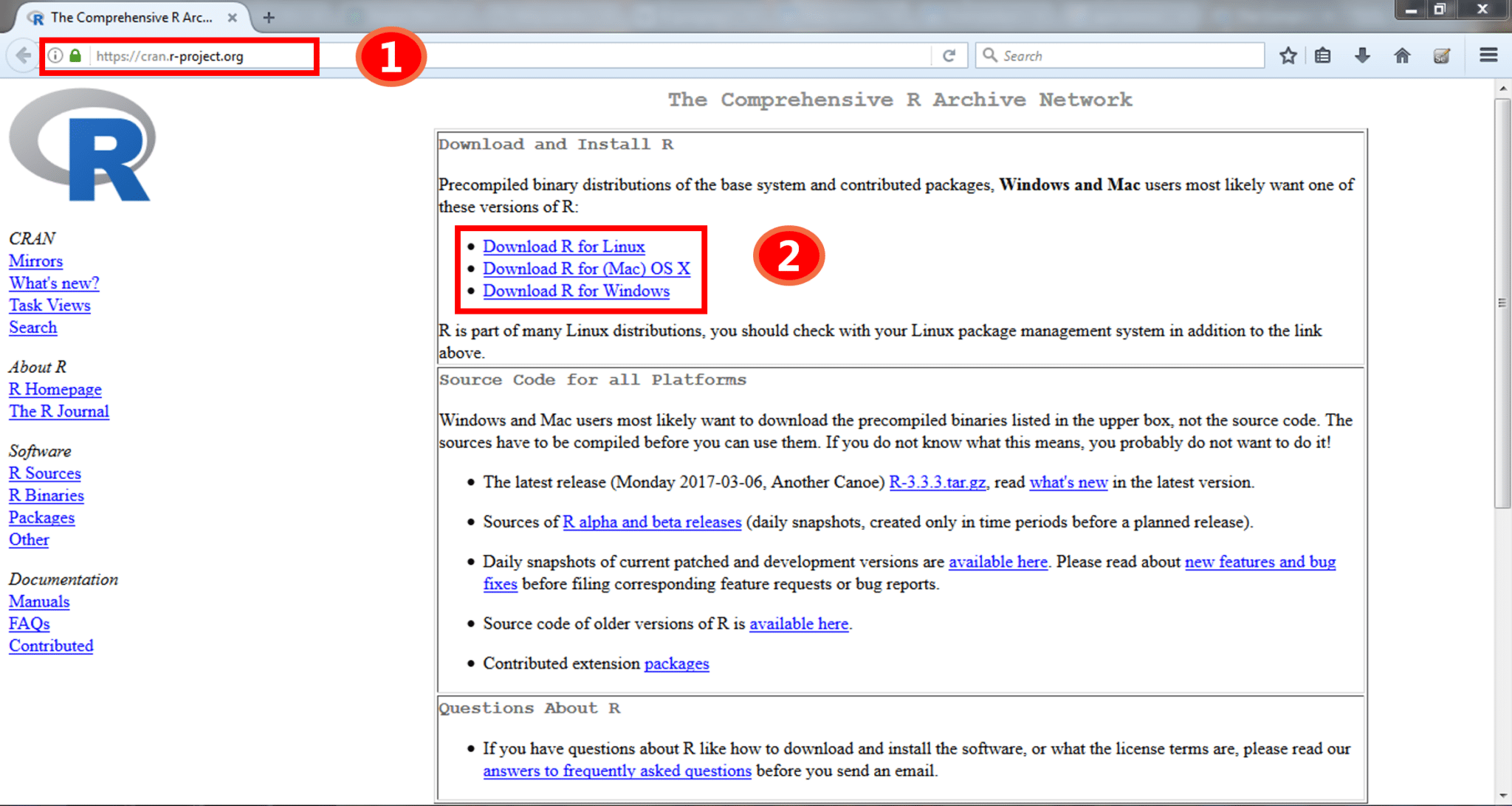
- STEP1: Go to the website https://cran.r-project.org/
- STEP2 : Download and install R on your system.
Let’s Start
Plain R user interface with some text entered 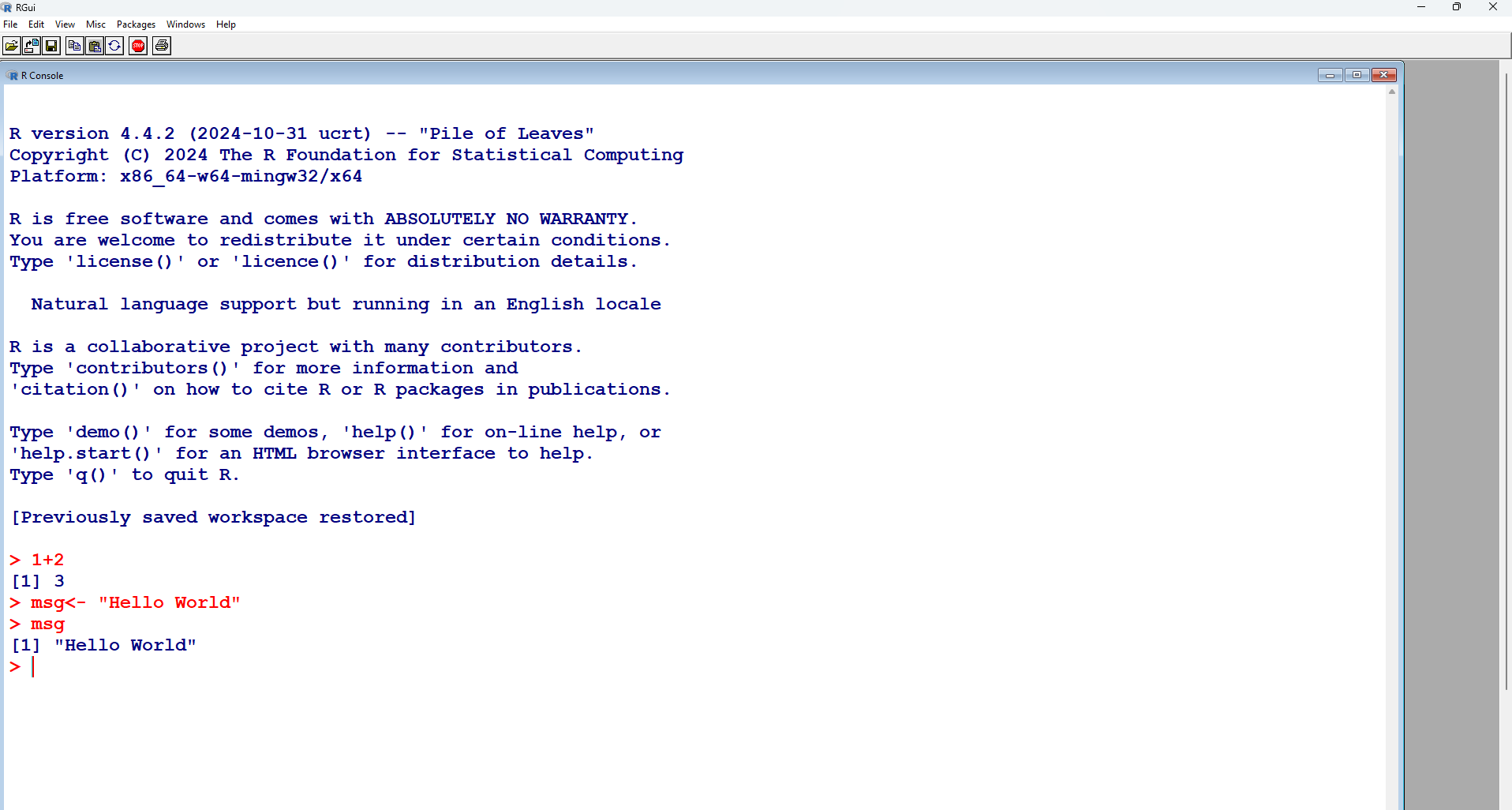
Let’s Start
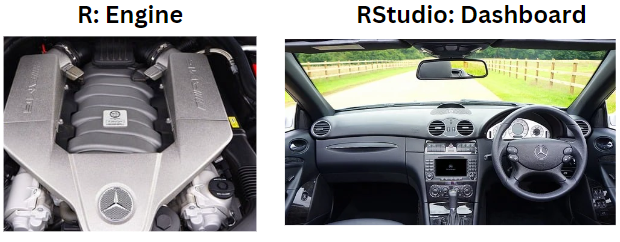
R-Studio
Let’s Start
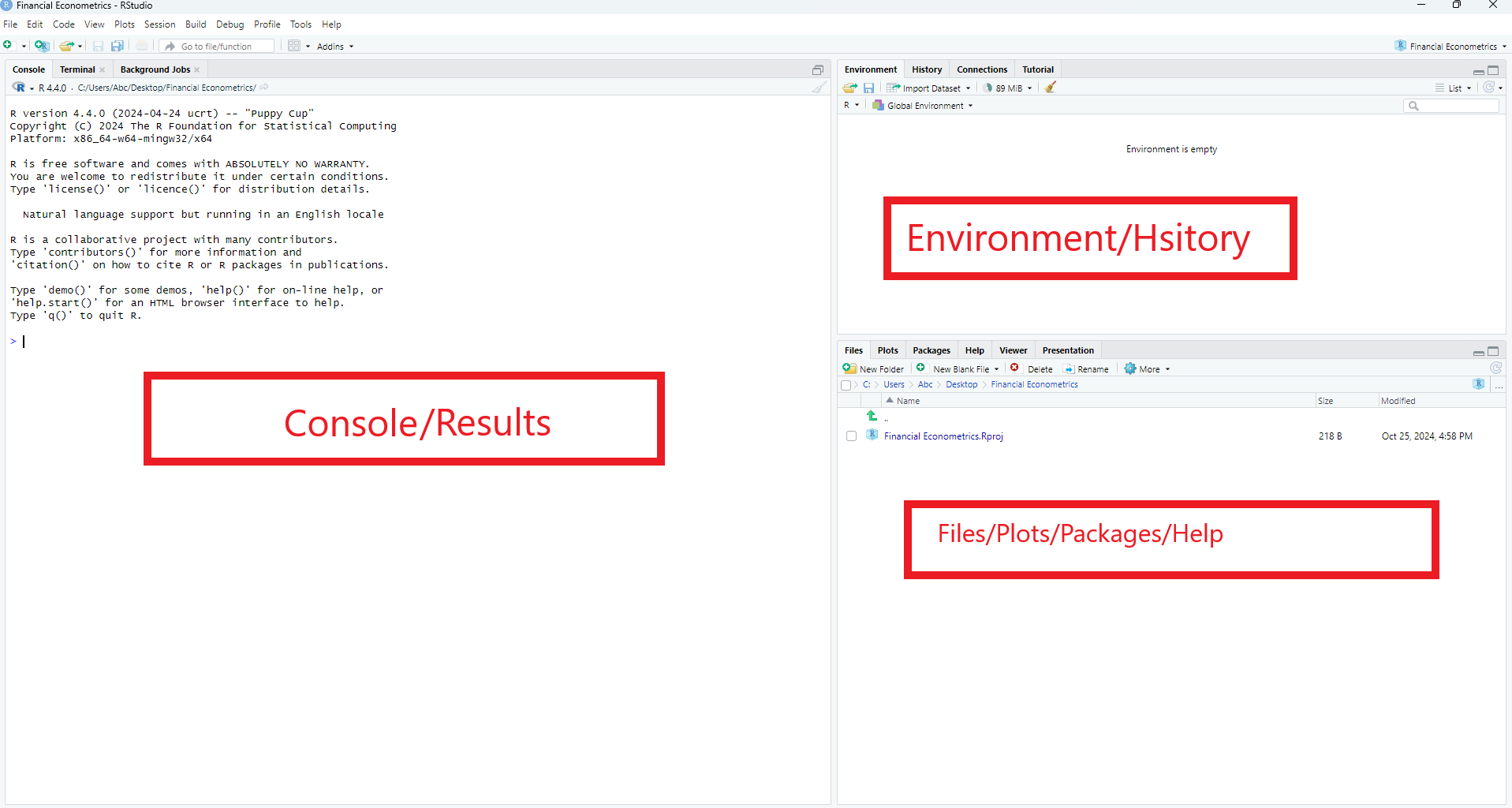
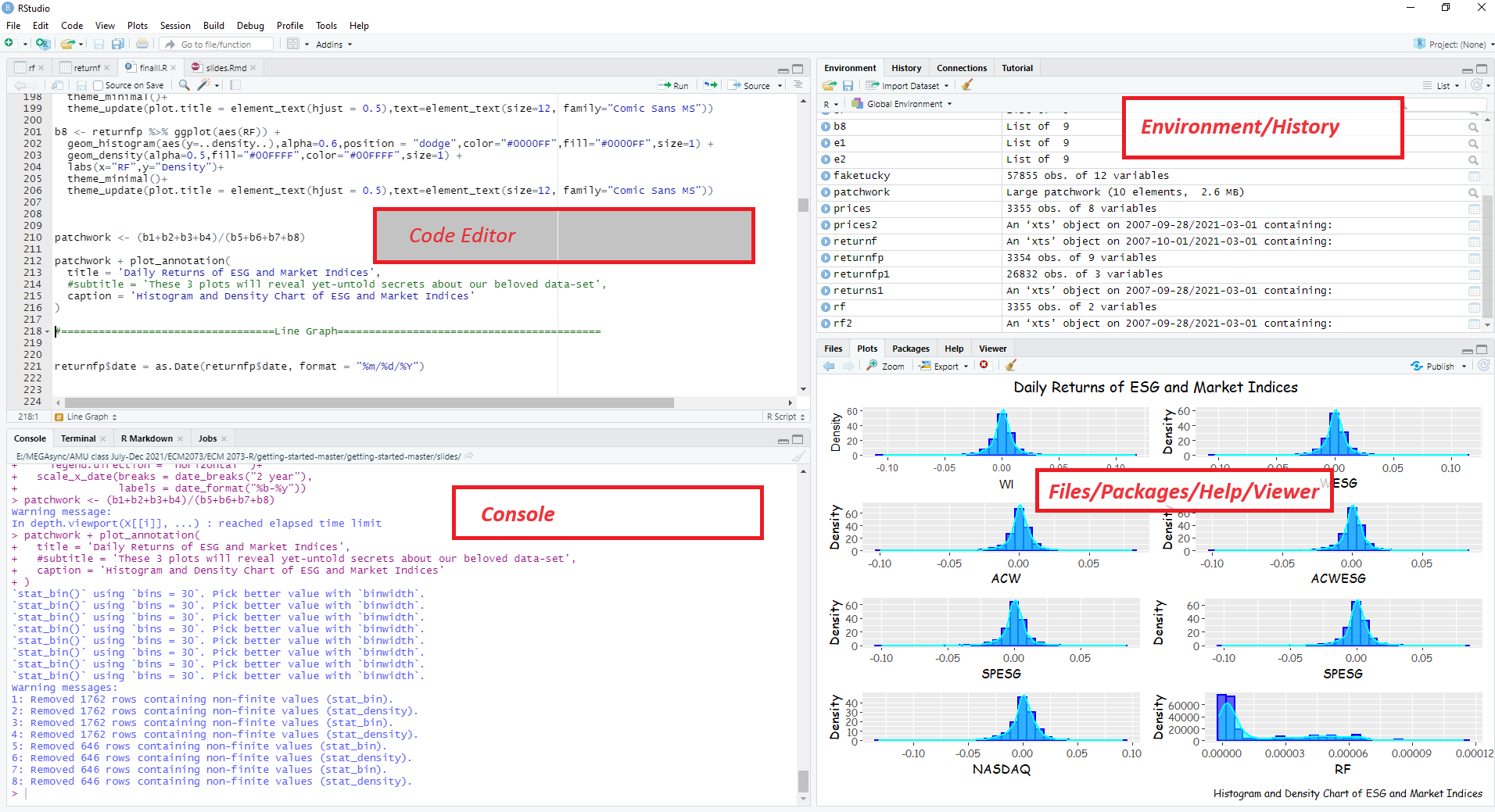
You can work directly in R, but a graphical interface is more convenient. One of most popular/useful is RStudio, an integrated development environment (IDE)
a console
a powerful code/script editor featuring
special tools for plotting, viewing R objects and code historycheatsheets for R programming
tab-completion for object names and function arguments
Installation of R-studio
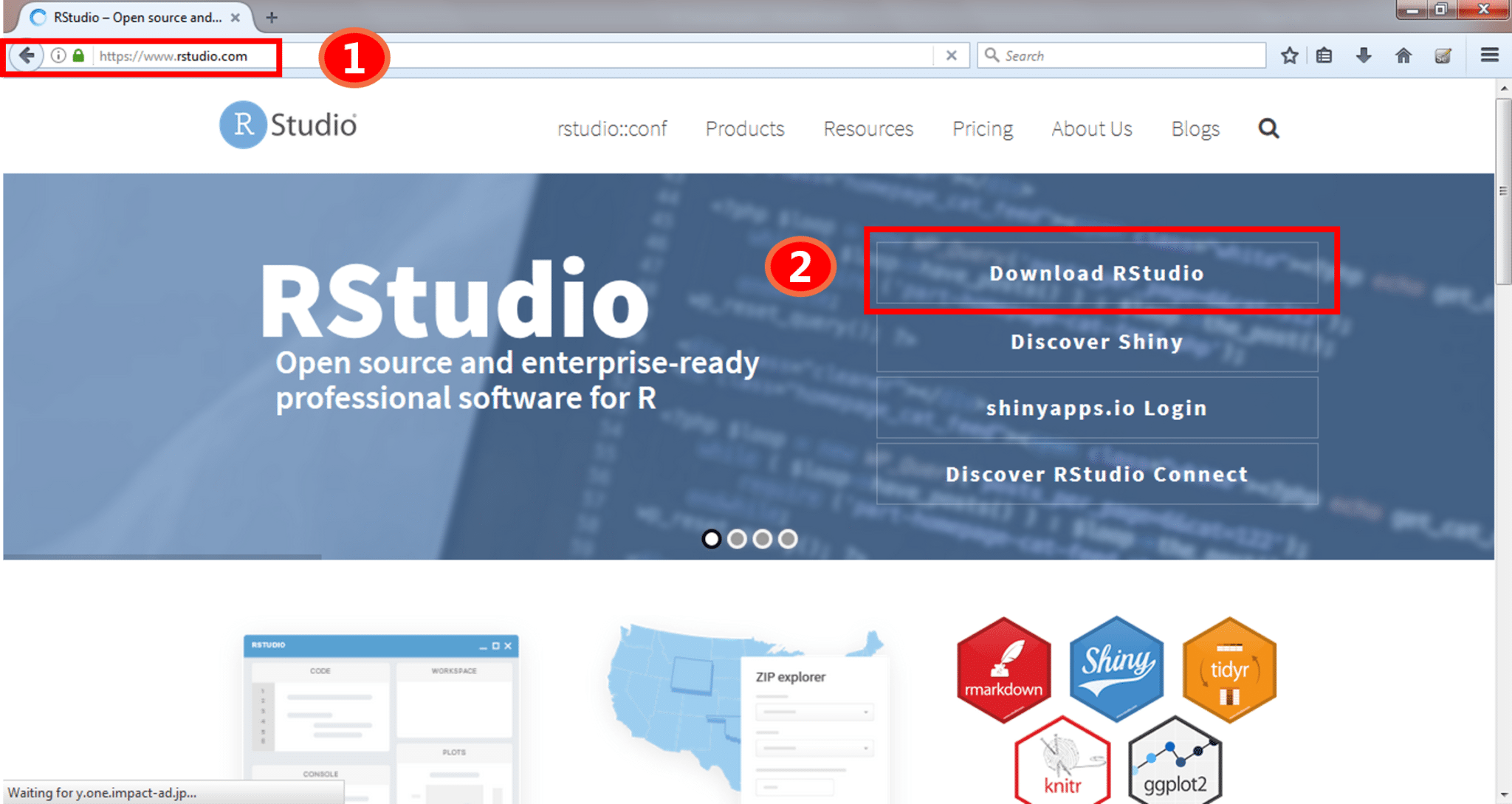
- STEP1: Go to the website https://posit.co/
- STEP2: Download and install Rstudio on your system
Lets Start
R-studio Overview
Lets Start
R-studio Overview
Gettin help- Inside R
help("apply")# get help for the function?apply# The same. saves typing effort.- Press F1 while the cursor is at a command.
?read.table- help.search(“data input”)# search by specific subject
- find(“package name”)# Tells about the package
- help.start() # html help Manuals, Material, search engine
Getting Help-Outside R
- R-Manuals for introduction to the language
- Ref Cards: base and advanced cheatsheets from Rstudio
- StackOverflow for programming questions main resource
Books and Online Resources
- Grolemund & Wickham (2017) R for Data Science
- Using R for Introductory Econometrics by Florian Heiss
- R Tutorials
- Need Motivation! Click HERE
Last Message
Questions?
THANKS
🏃